June 2026 update - what's new in LotsaNotes
June 9, 2026
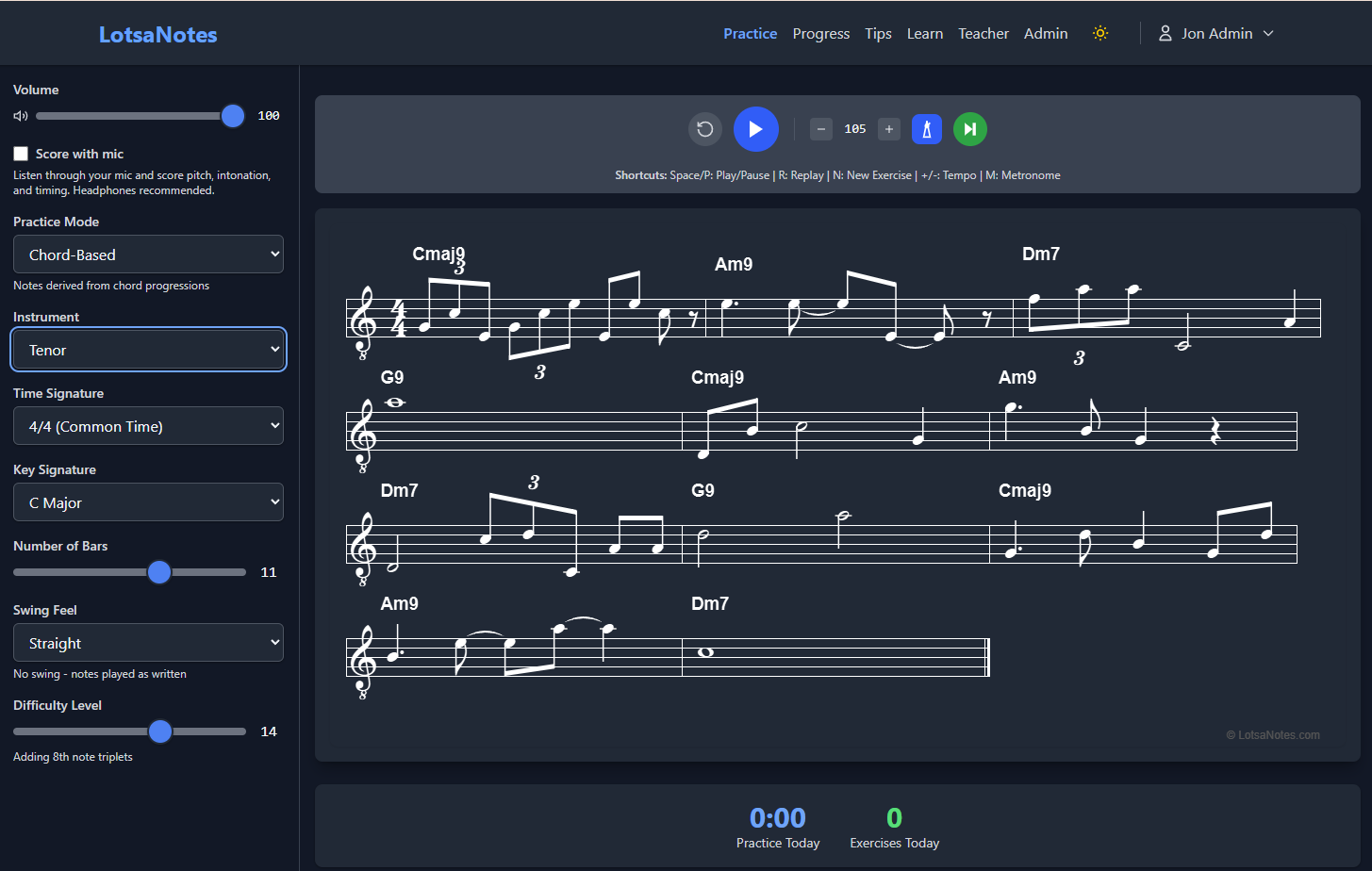
Based on feedback from users, especially Erika and Len, a batch of changes went live this week. Here’s what’s new.
Difficulty curve update
The difficulty progression has changed. Octave range, which used to be Level 4, is now Level 8. Levels that were 5 through 8 each shifted down one. The result: early levels now isolate rhythmic difficulty within a small range of notes. On piano, students can hold their hand position and focus entirely on rhythm.
Sight singing mode
Sight singing is now available. To use it, select Soprano, Alto, Tenor, Baritone, or Bass as your instrument. When you start an exercise, a piano plays a I-IV-V-I progression so you can hear the tonal centre before the metronome counts you in. The cadence establishes the key in your ear, which is how singers actually approach a new piece.
Simpler counters
The counters at the bottom of the practice screen are now Practice Time Today and Exercises Played Today. Cleaner and more useful than what was there before.
Button reorder
The Play, Replay, and New Exercise buttons have been reordered. Replay is now on the far left, Play in the middle, New Exercise on the far right. Left to right matches the order you’d actually use them.
Cancellable self-assessment
The self-assessment dialog can now be dismissed with a subtle X in the top right, for the times you don’t want to rate the exercise.
Naming changes
A couple of naming changes for clarity: the Next button is now called New Exercise, and what used to be called a Snippet is now called an Exercise.
Dark mode readability
The menu text in dark mode is now 15% brighter for better readability.
Teacher page
The teacher page has clearer guide text. The Generate Invite Code section now explains that codes are single-use, and the email invite option is shown first since it’s the more common path.
Student registration
The invite code field is now more visible on the student registration screen.
Keep the feedback coming, it’s directly responsible for most of what’s above. LotsaNotesInfo@gmail.com
- Jon